** 公司老框架的一个页面需要用到文件上传,本以为修改一个配置参数即可解决,百度一番发现都在说这个第三方插件不支持文件多选功能,还有各种各样缺点,暂且不讨论这些吧。先完成领导安排下来的任务。**
** 任务一:支持多选添加文件**
** 任务二:支持批量添加文件**
** 我们先来说第二个任务吧,第二个任务相比较容易些,经过半天研究源码,发现他每次都将文件,添加到队列中“queue”然后不停的拿队列中的数据**
** 添加队列源码(大约在源码的第35行左右)**
1   this.postEvent = function(event, data)
2   {
3     data = data || null;
4     this.queue.push({event: event, data: data});
5     if (!this.is_processing) {
6       this.process();
7     }
8   }
获取队列源码(大约在源码的第47行左右),拿到一条数据,就回调一次相应的方法
1   this.process = function()
2   {
3     while (this.queue.length > 0) {
4       this.is_processing = true;
5       var event_data = this.queue.shift();
6       this.handler.call(this.scope, event_data.event, event_data.data);
7     }
8     this.is_processing = false;
9   }
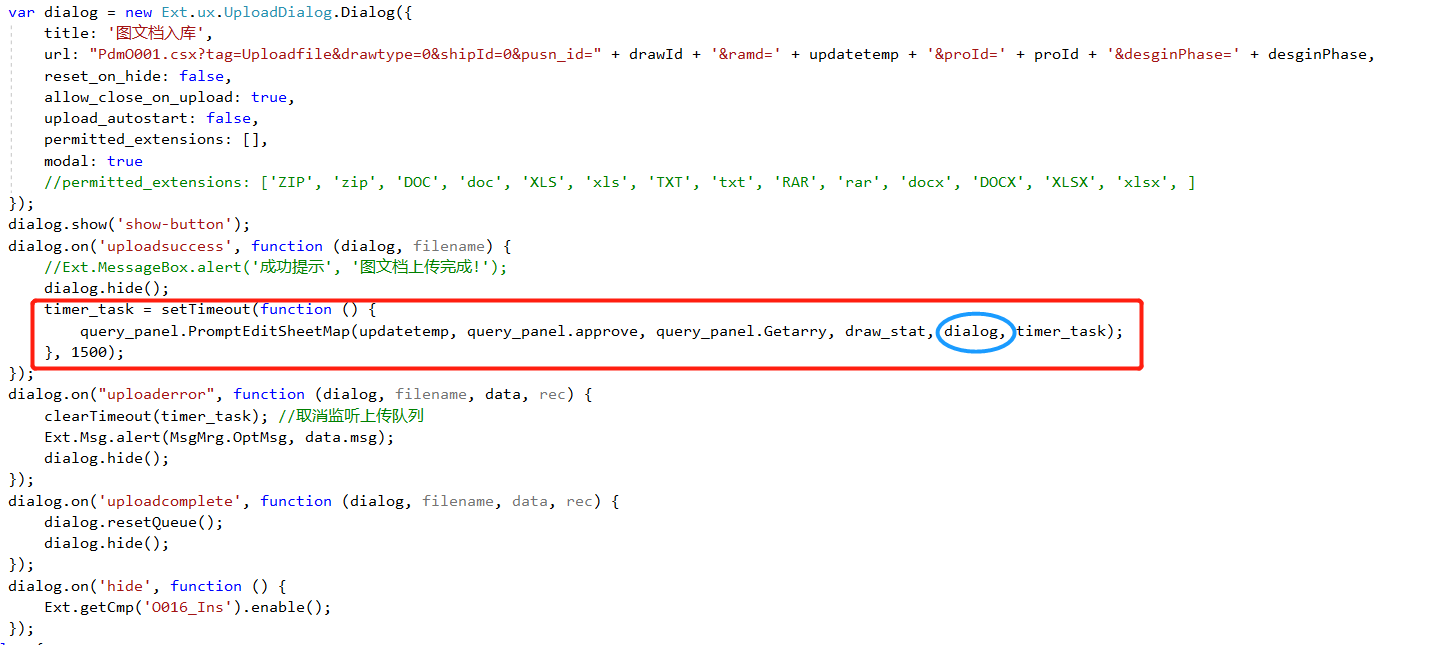
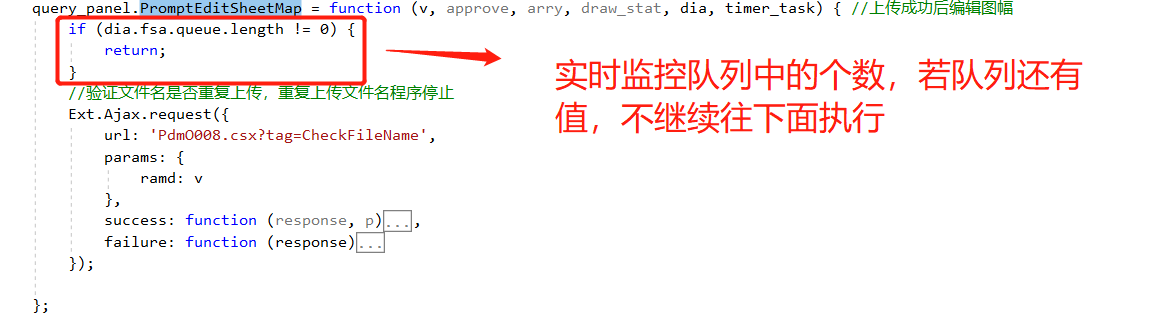
** 经过大半天的调试,发现是这个问题造成的,从队列里拿到一条数据后,误认为上传已完成,直接执行下面的操作,我是这样解决他的,写了个定时器,实时监控队列中的个数,如果队列中的个数不为0,不继续执行其他的操作**
解决方案部分截图:
源码修改
第一步:创建input标签时,新增属性:multiple: “multiple”(大约在源码的第283行左右)
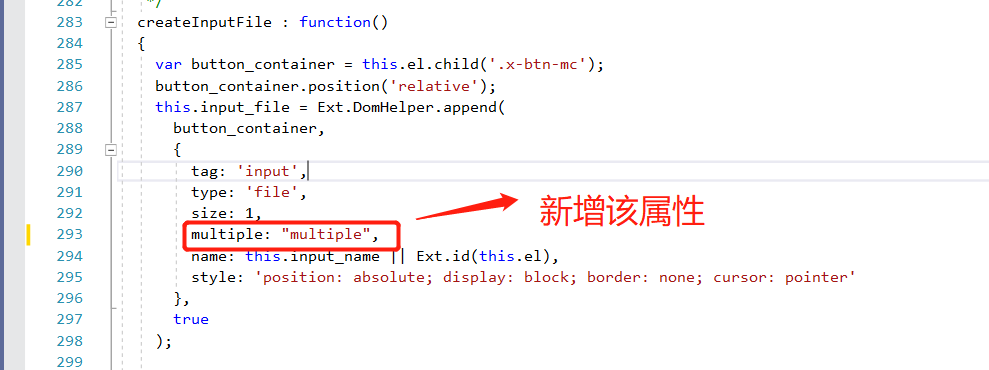
 1     this.input_file = Ext.DomHelper.append(
 2       button_container,
 3       {
 4         tag: 'input',
 5         type: 'file',
 6         size: 1,
 7         multiple: "multiple",
 8         name: this.input_name || Ext.id(this.el),
 9         style: 'position: absolute; display: block; border: none; cursor: pointer'
10       },
11       true
12     );
第二步:修改添加文件到上传队列源码(大约在源码的第1050行左右)
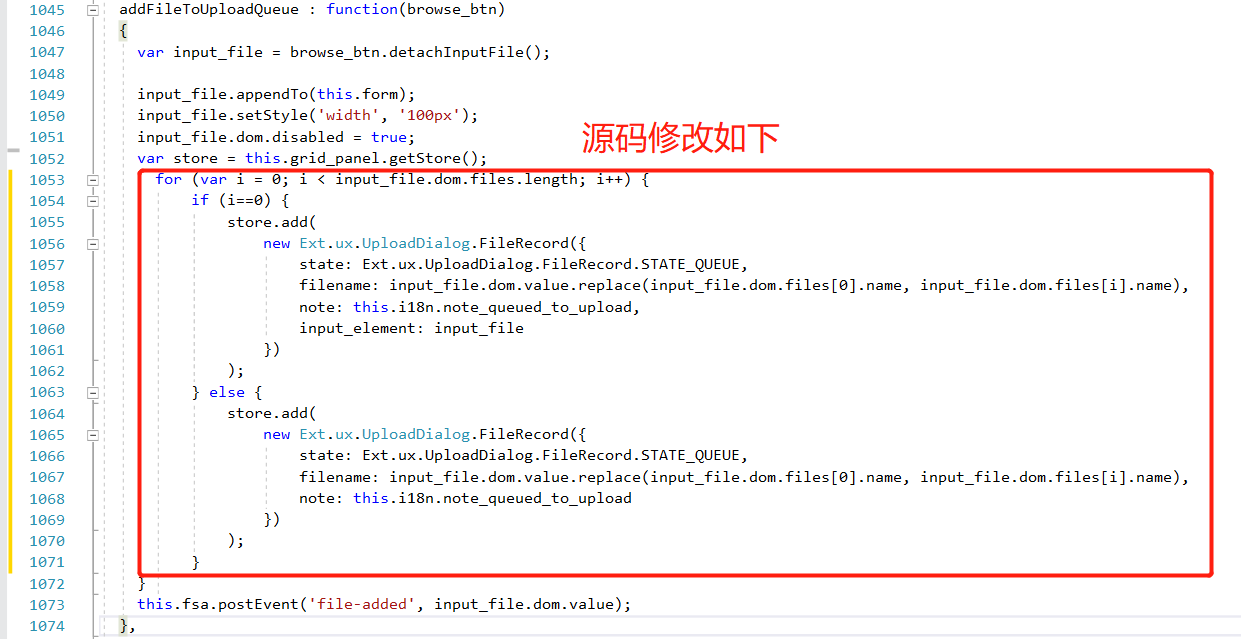
  addFileToUploadQueue : function(browse_btn)
  {
    var input_file = browse_btn.detachInputFile();

    input_file.appendTo(this.form);
    input_file.setStyle('width', '100px');
    input_file.dom.disabled = true;
    var store = this.grid_panel.getStore();
      for (var i = 0; i < input_file.dom.files.length; i++) {
          if (i==0) {
              store.add(
                  new Ext.ux.UploadDialog.FileRecord({
                      state: Ext.ux.UploadDialog.FileRecord.STATE_QUEUE,
                      filename: input_file.dom.value.replace(input_file.dom.files[0].name, input_file.dom.files[i].name),
                      note: this.i18n.note_queued_to_upload,
                      input_element: input_file
                  })
              );
          } else {
              store.add(
                  new Ext.ux.UploadDialog.FileRecord({
                      state: Ext.ux.UploadDialog.FileRecord.STATE_QUEUE,
                      filename: input_file.dom.value.replace(input_file.dom.files[0].name, input_file.dom.files[i].name),
                      note: this.i18n.note_queued_to_upload
                  })
              );
          }
    }
    this.fsa.postEvent('file-added', input_file.dom.value);
  },
第三步:其余部分源码添加条件约束(行号看图)
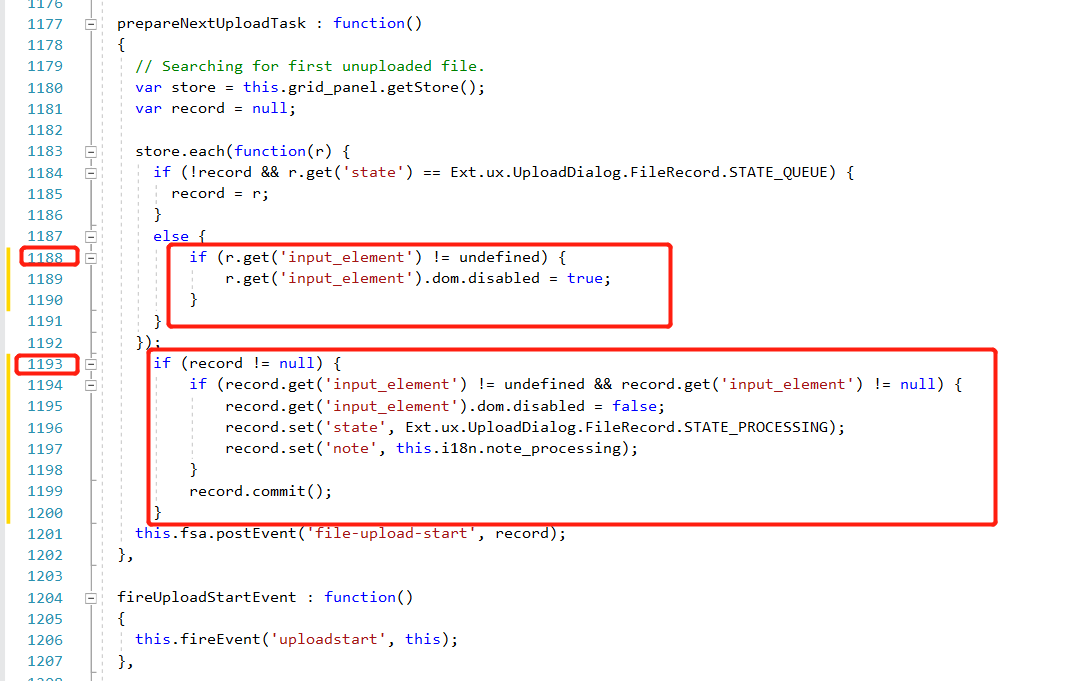
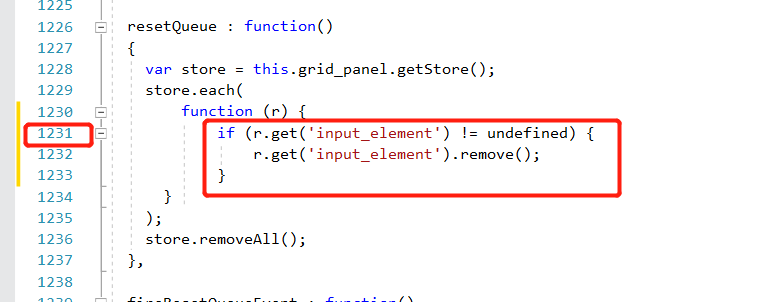

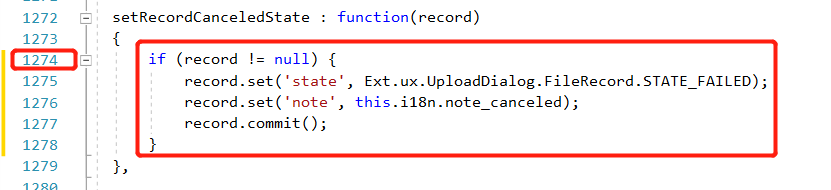

** 注:若不添加条件约束,js会报错,添加的约束,在截图中的行号附近!!!!**
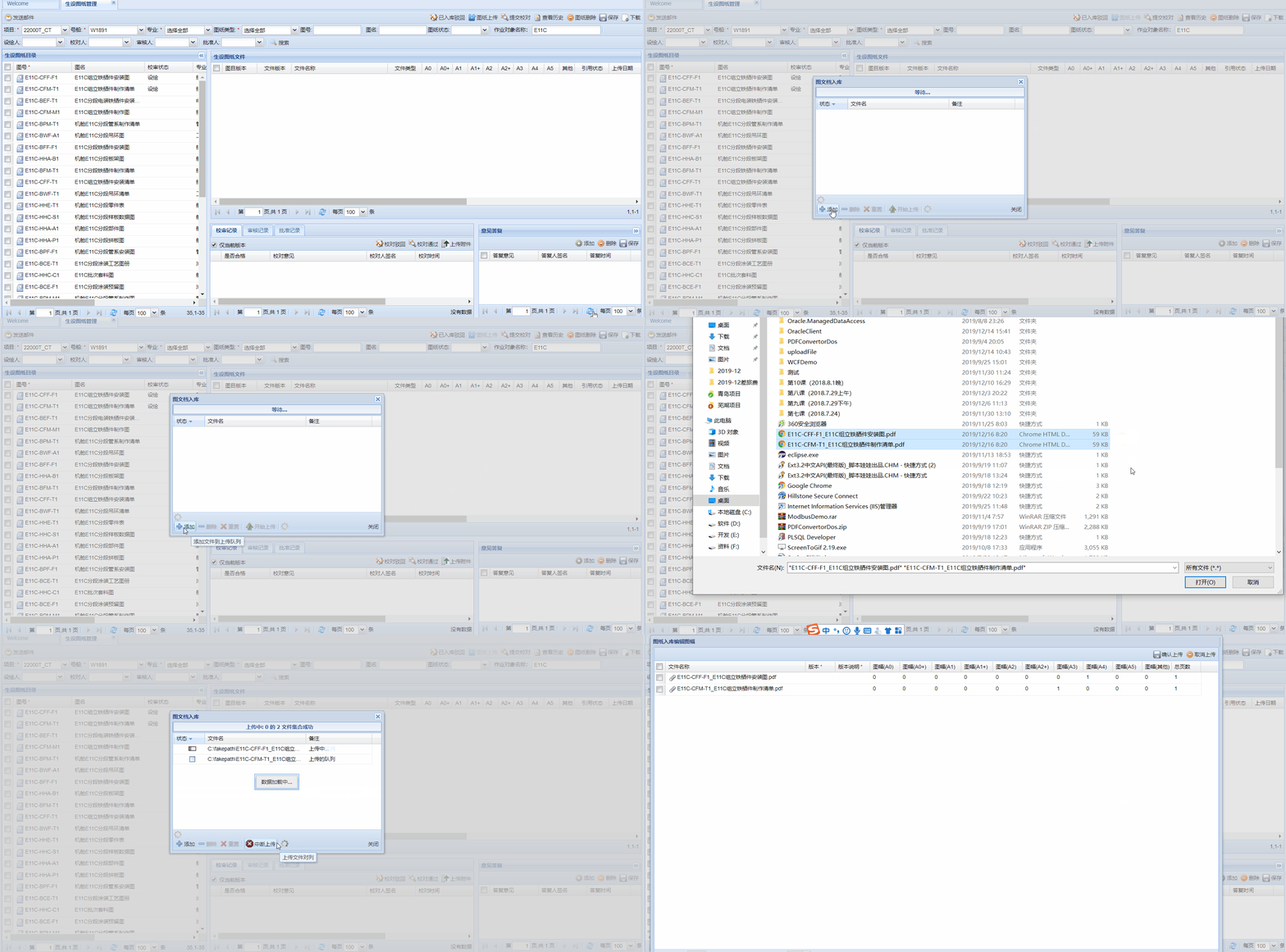
演示
创作不易,转载请注明出处,觉得对你有帮助的话,帮忙推荐下,有不懂的地方,欢迎下方留言!~~