一、what is maven?
Maven项目对象模型(POM),可以通过一小段描述信息来管理项目的构建,报告和文档的项目管理工具软件。
Maven 除了以程序构建能力为特色之外,还提供高级项目管理工具。由于 Maven 的缺省构建规则有较高的可重用性,所以常常用两三行 Maven 构建脚本就可以构建简单的项目。由于 Maven 的面向项目的方法,许多 Apache Jakarta 项目发文时使用 Maven,而且公司项目采用 Maven 的比例在持续增长。
Maven这个单词来自于意第绪语(犹太语),意为知识的积累,最初在Jakata Turbine项目中用来简化构建过程。当时有一些项目(有各自Ant build文件),仅有细微的差别,而JAR文件都由CVS来维护。于是希望有一种标准化的方式构建项目,一个清晰的方式定义项目的组成,一个容易的方式发布项目的信息,以及一种简单的方式在多个项目中共享JARs。
二、安装与配置
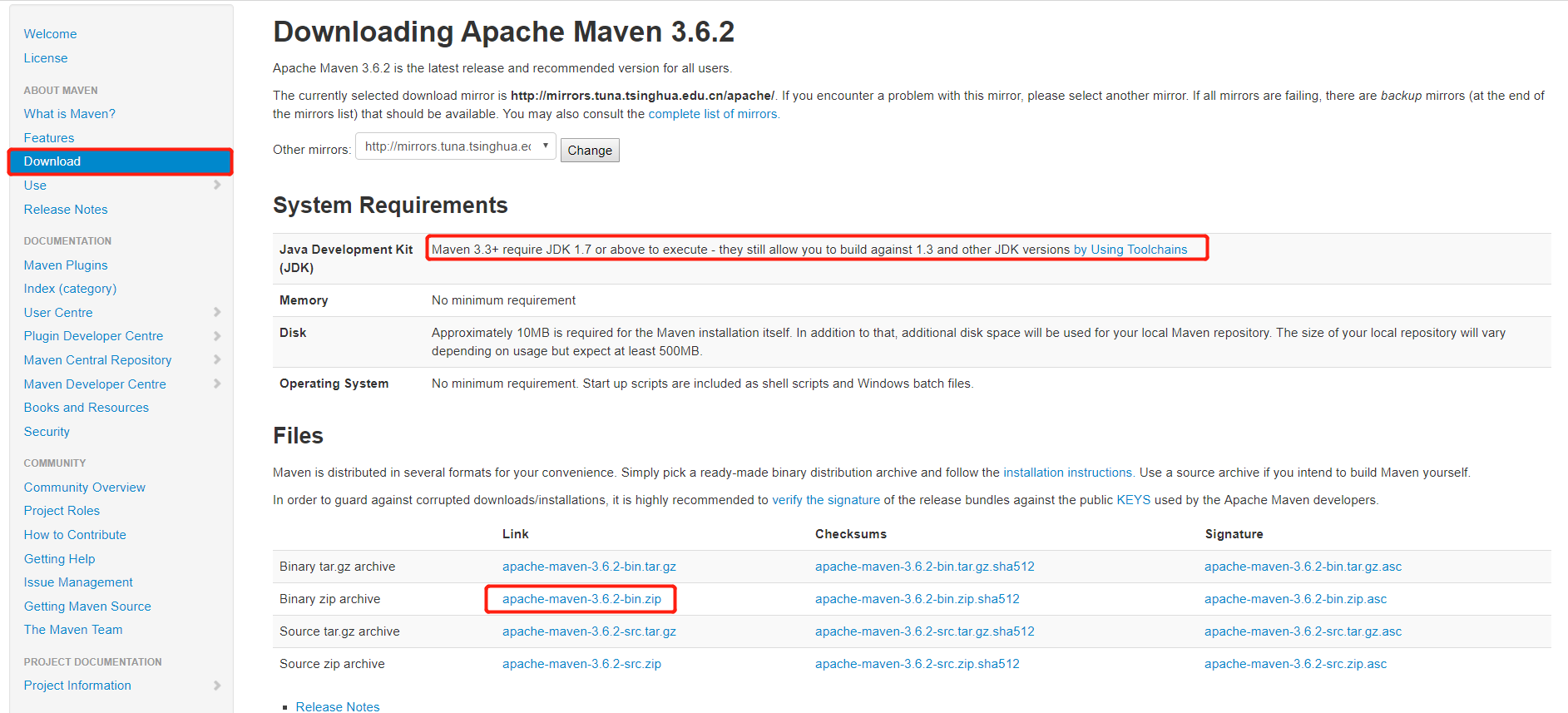
2.1、直接下载(需jdk1.7或更高)
地址:直接下载
2.2、官网下载:http://maven.apache.org/download.cgi
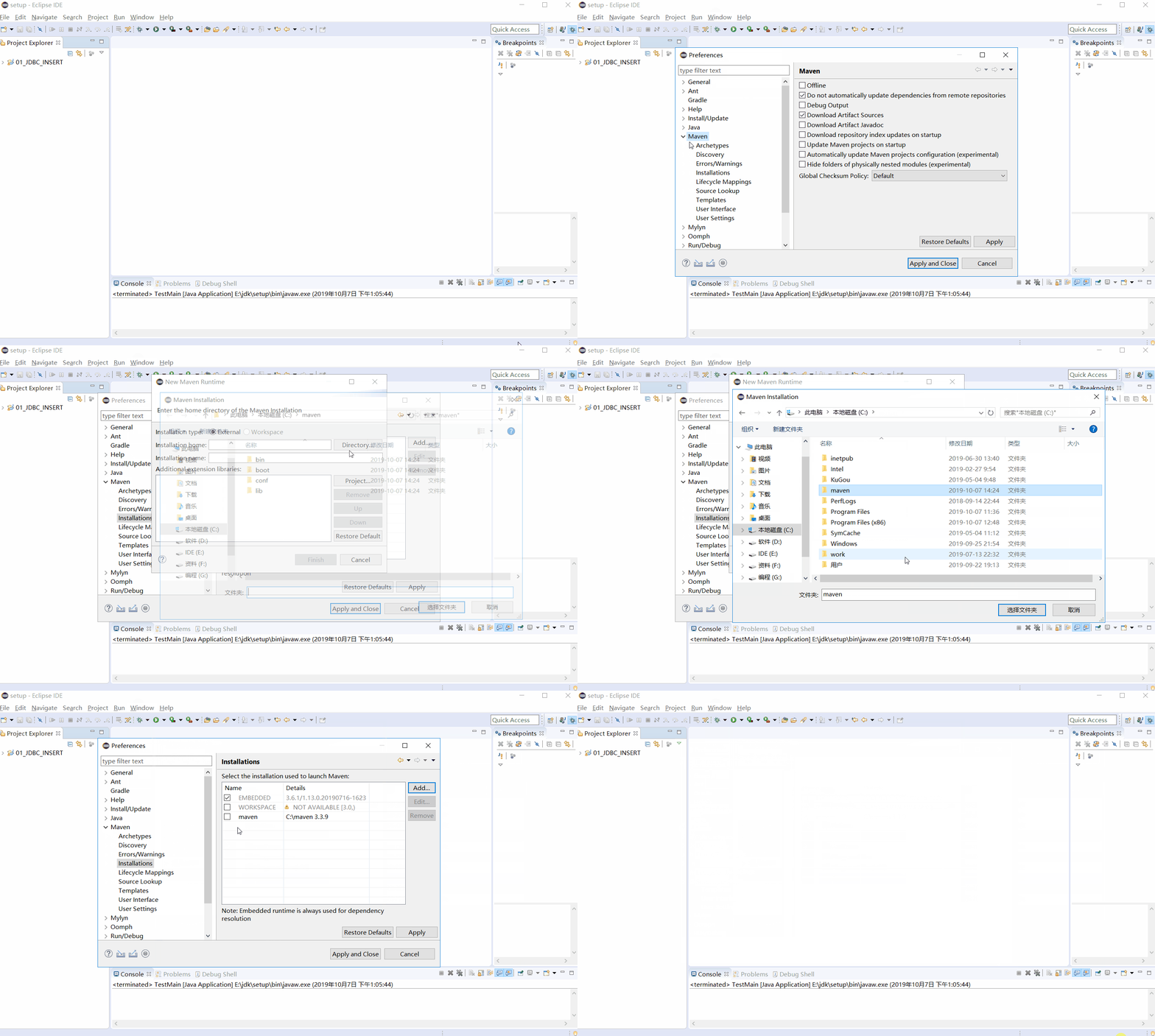
2.3、Maven与Eclipse关联
2.4、创建Maven项目,并配置pom.xml
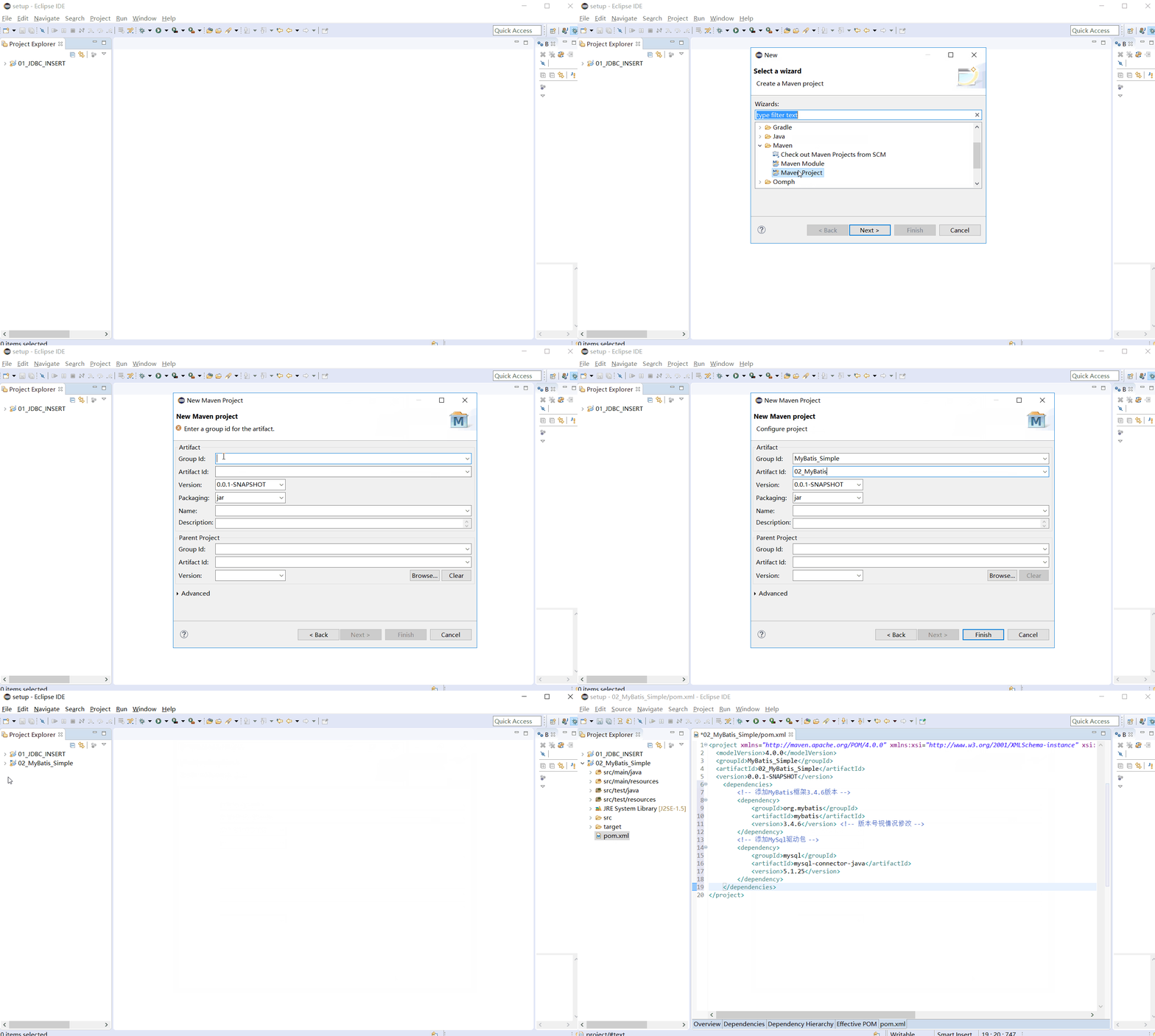
     <dependencies>
         <!-- 添加MyBatis框架3.4.6版本 -->
         <dependency>
             <groupId>org.mybatis</groupId>
             <artifactId>mybatis</artifactId>
             <version>3.4.6</version> <!-- 版本号视情况修改 -->
         </dependency>
         <!-- 添加MySql驱动包 -->
         <dependency>
             <groupId>mysql</groupId>
             <artifactId>mysql-connector-java</artifactId>
             <version>5.1.25</version>
         </dependency>
     </dependencies>
2.5、创建XML配置MyBatis
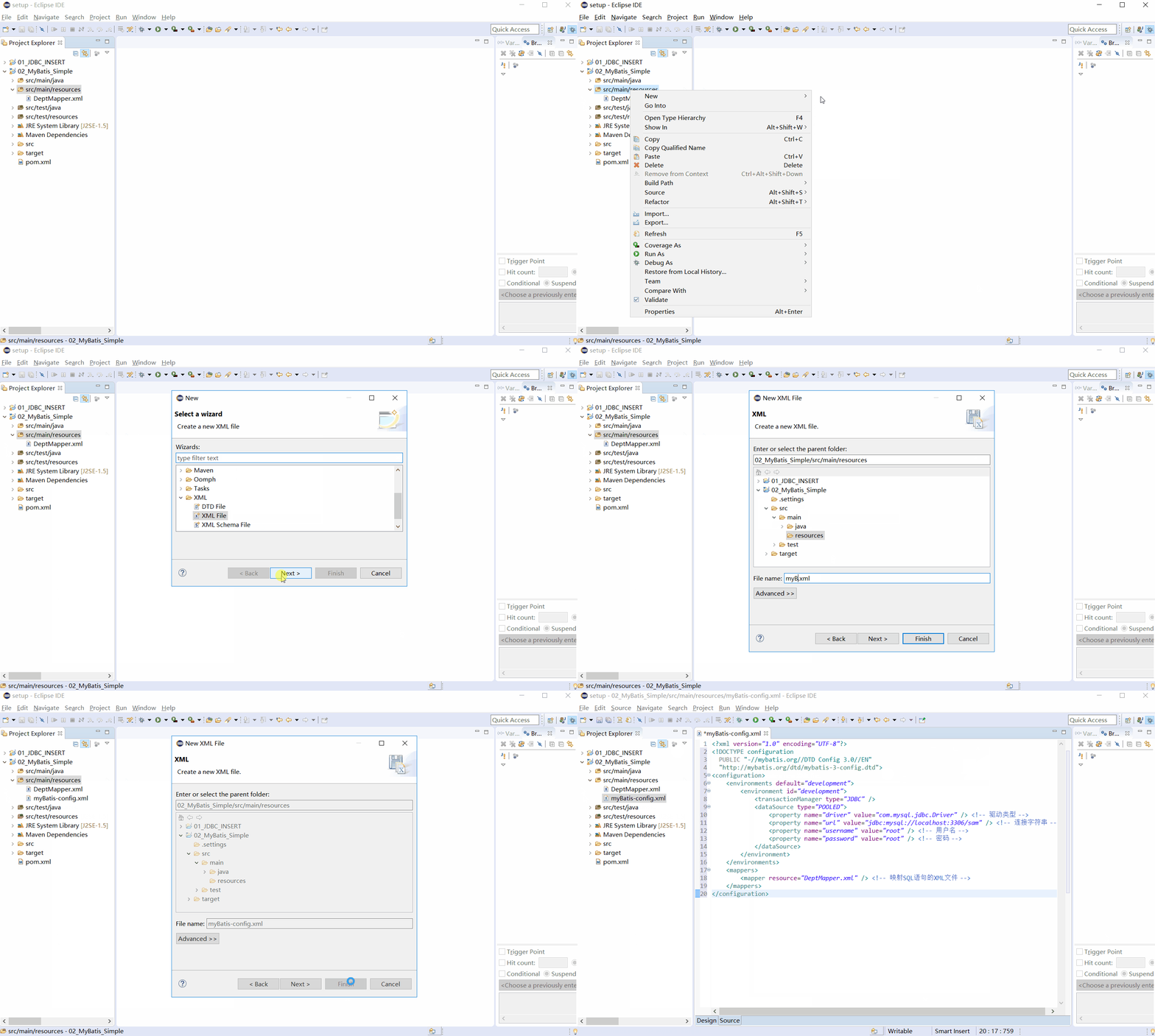
 <?xml version="1.0" encoding="UTF-8"?>
 <!DOCTYPE configuration
   PUBLIC "-//mybatis.org//DTD Config 3.0//EN"
   "http://mybatis.org/dtd/mybatis-3-config.dtd">
 <configuration>
     <environments default="development">
         <environment id="development">
             <transactionManager type="JDBC" />
             <dataSource type="POOLED">
                 <property name="driver" value="com.mysql.jdbc.Driver" /> <!-- 驱动类型 -->
                 <property name="url" value="jdbc:mysql://localhost:3306/sam" /> <!-- 连接字符串 -->
                 <property name="username" value="root" /> <!-- 用户名 -->
                 <property name="password" value="root" /> <!-- 密码 -->
             </dataSource>
         </environment>
     </environments>
     <mappers>
         <mapper resource="DeptMapper.xml" /> <!-- 映射SQL语句的XML文件 -->
     </mappers>
 </configuration>
2.6、创建XML映射SQL语句
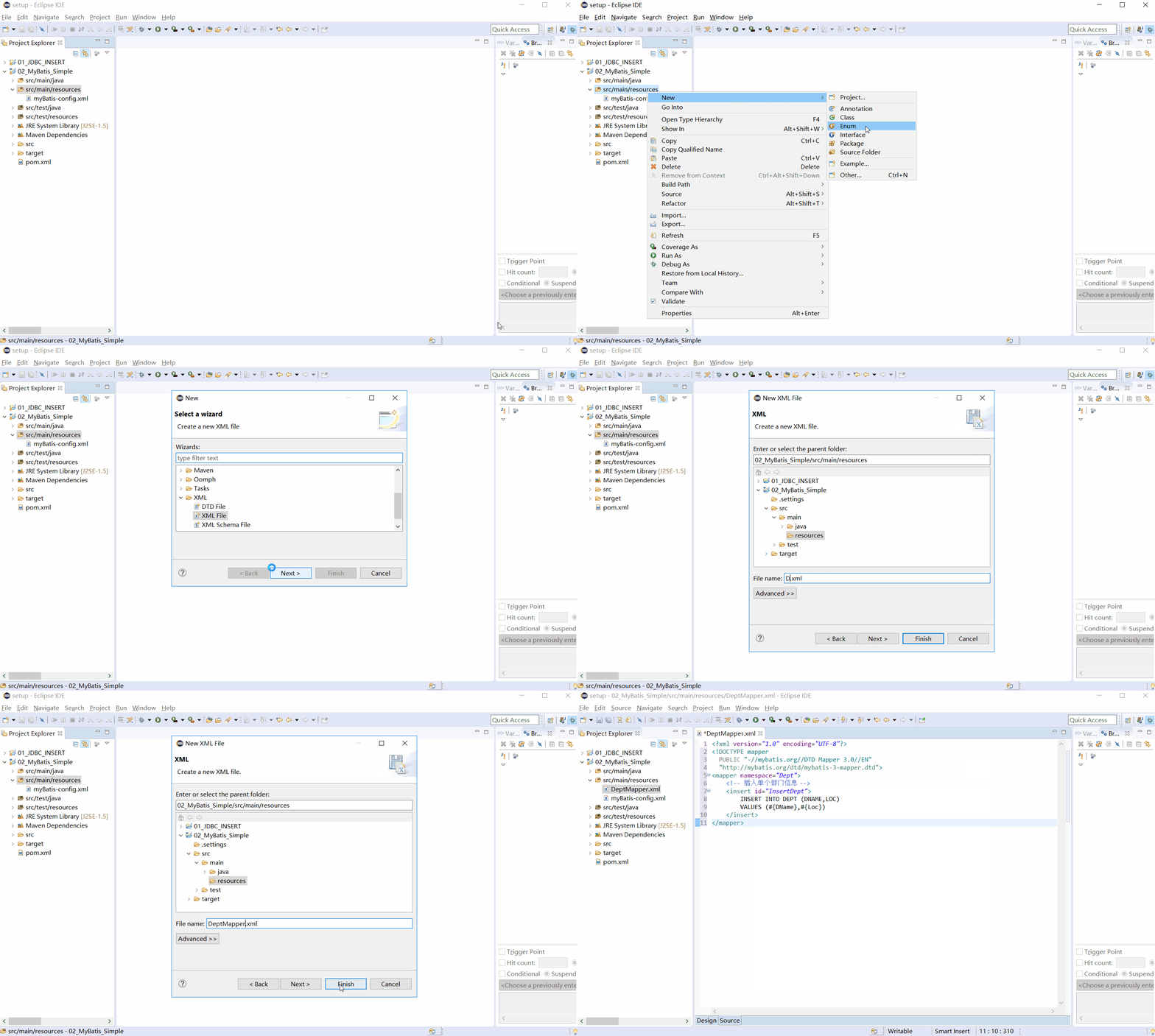
 <?xml version="1.0" encoding="UTF-8"?>
 <!DOCTYPE mapper
   PUBLIC "-//mybatis.org//DTD Mapper 3.0//EN"
   "http://mybatis.org/dtd/mybatis-3-mapper.dtd">
 <mapper namespace="Dept">
     <!-- 插入单个部门信息 -->
     <insert id="InsertDept">
         INSERT INTO DEPT (DNAME,LOC)
         VALUES (#{DName},#{Loc})
     </insert>
 </mapper>
CRUD语法
 <insert id="insertAuthor">
   insert into Author (id,username,password,email,bio)
   values (#{id},#{username},#{password},#{email},#{bio})
 </insert>

 <update id="updateAuthor">
   update Author set
     username = #{username},
     password = #{password},
     email = #{email},
     bio = #{bio}
   where id = #{id}
 </update>

 <delete id="deleteAuthor">
   delete from Author where id = #{id}
 </delete>
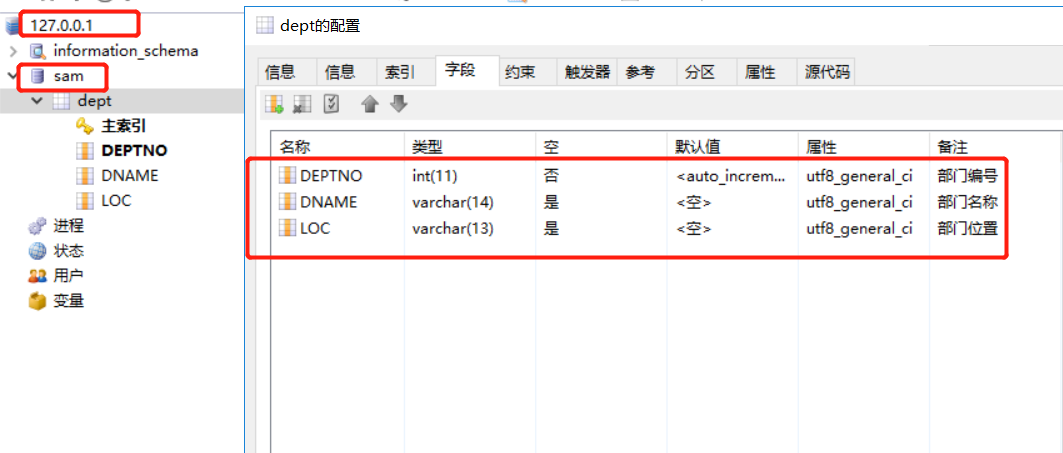
2.7、创建实体类
表结构
 package com.chenyanbin;

 public class Dept {
     //部门名称
     private String DName;
     //部门位置
     private String Loc;
     public String getDName() {
         return DName;
     }
     public void setDName(String dName) {
         DName = dName;
     }
     public String getLoc() {
         return Loc;
     }
     public void setLoc(String loc) {
         Loc = loc;
     }
 }
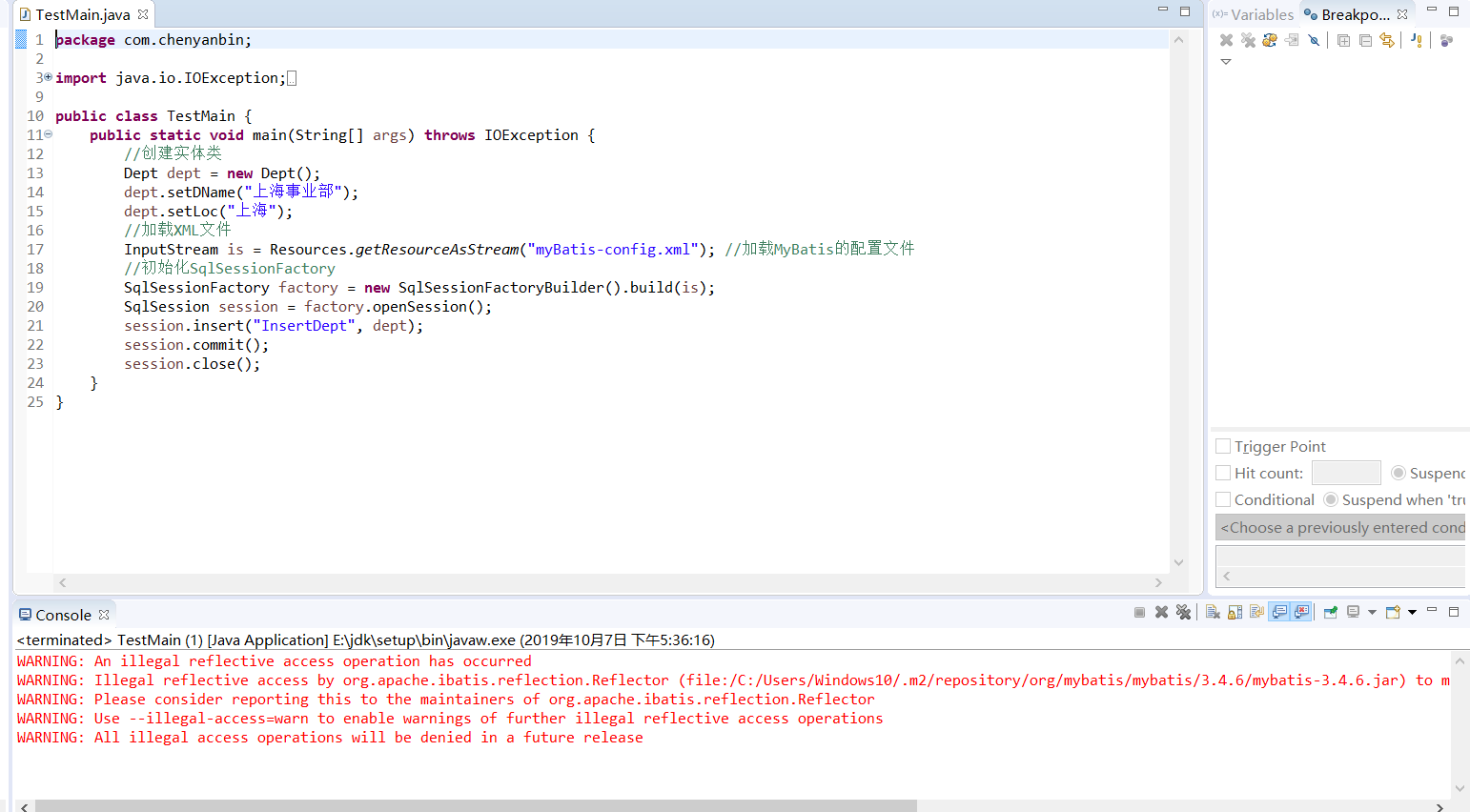
2.8、创建Main函数
 package com.chenyanbin;

 import java.io.IOException;
 import java.io.InputStream;
 import org.apache.ibatis.io.Resources;
 import org.apache.ibatis.session.SqlSession;
 import org.apache.ibatis.session.SqlSessionFactory;
 import org.apache.ibatis.session.SqlSessionFactoryBuilder;

 public class TestMain {
     public static void main(String[] args) throws IOException {
         //创建实体类
         Dept dept = new Dept();
         dept.setDName("上海事业部");
         dept.setLoc("上海");
         //加载XML文件
         InputStream is = Resources.getResourceAsStream("myBatis-config.xml"); //加载MyBatis的配置文件
         //初始化SqlSessionFactory
         SqlSessionFactory factory = new SqlSessionFactoryBuilder().build(is);
         SqlSession session = factory.openSession();
         session.insert("InsertDept", dept);
         session.commit();
         session.close();
     }
 }
2.9、项目文件目录图
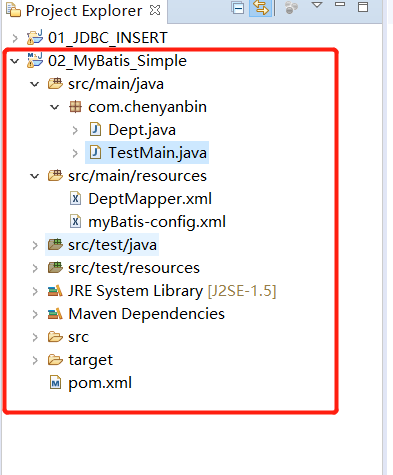
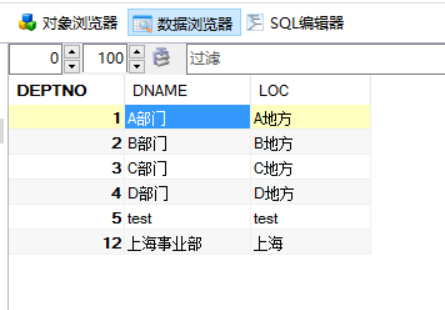
以上配置完成,但是博主碰到一个问题,数据库保存进去了,程序警告,警告如下:

WARNING: An illegal reflective access operation has occurred
WARNING: Illegal reflective access by org.apache.ibatis.reflection.Reflector (file:/C:/Users/Windows10/.m2/repository/org/mybatis/mybatis/3.4.6/mybatis-3.4.6.jar) to method java.lang.Class.checkPackageAccess(java.lang.SecurityManager,java.lang.ClassLoader,boolean) WARNING: Please consider reporting this to the maintainers of org.apache.ibatis.reflection.Reflector WARNING: Use –illegal-access=warn to enable warnings of further illegal reflective access operations WARNING: All illegal access operations will be denied in a future release
网上查了下,jdk8之后对反射做限制了,有两种解决方案
- 把jdk回到jdk9之前
- 升级MyBatis
三、MyBatis框架执行流程解析
将sql语句和数据库配置信息保存在配置文件
在MyBatis运行时,将配置信息存储Configuration对象
在创建SqlSession对象,提供属性
- Configuration对象
- dirty:true->sql语句执行完毕后,可以事务提交;false->sql语句执行发送错误,事务进行回滚
- Executor执行器对象:创建Statement对象,在创建过程中依靠MapperStatement对象将赋值内容与sql占位符进行绑定处理
SqlSession.commit():此时根据dirty属性绝对提交和回滚
SqlSession.close():