介绍
再使用spring操作mysql数据库报错
    @Test
    public void test() {
        try {
            //创建连接池,先使用spring框架内置的连接池
            DriverManagerDataSource dataSource =new DriverManagerDataSource();
            //数据库驱动程序
            dataSource.setDriverClassName("com.mysql.cj.jdbc.Driver");
            //数据库连接字符串
            dataSource.setUrl("jdbc:mysql://localhost:3306/demo");
            //账号
            dataSource.setUsername("root");
            //密码
            dataSource.setPassword("root");
            //创建模板类
            JdbcTemplate jdbcTemplate=new JdbcTemplate(dataSource);
            //完成数据的添加
            int res = jdbcTemplate.update("insert into s_user (age,name) values (?,?)",22,"测试人员");
        } catch (Exception e) {
            e.printStackTrace();
        }
    }
报错信息如下:
org.springframework.jdbc.CannotGetJdbcConnectionException: Failed to obtain JDBC Connection; nested exception is java.sql.SQLException: The server time zone value ‘�й���ʱ��’ is unrecognized or represents more than one time zone. You must configure either the server or JDBC driver (via the serverTimezone configuration property) to use a more specifc time zone value if you want to utilize time zone support.
at org.springframework.jdbc.datasource.DataSourceUtils.getConnection(DataSourceUtils.java:82)
at org.springframework.jdbc.core.JdbcTemplate.execute(JdbcTemplate.java:612)
at org.springframework.jdbc.core.JdbcTemplate.update(JdbcTemplate.java:862)
at org.springframework.jdbc.core.JdbcTemplate.update(JdbcTemplate.java:917)
at org.springframework.jdbc.core.JdbcTemplate.update(JdbcTemplate.java:927)
at com.cyb.spring.test.TestJdbcTemplate.test(TestJdbcTemplate.java:24)
at java.base/jdk.internal.reflect.NativeMethodAccessorImpl.invoke0(Native Method)
at java.base/jdk.internal.reflect.NativeMethodAccessorImpl.invoke(NativeMethodAccessorImpl.java:62)
at java.base/jdk.internal.reflect.DelegatingMethodAccessorImpl.invoke(DelegatingMethodAccessorImpl.java:43)
at java.base/java.lang.reflect.Method.invoke(Method.java:567)
at org.junit.runners.model.FrameworkMethod$1.runReflectiveCall(FrameworkMethod.java:50)
at org.junit.internal.runners.model.ReflectiveCallable.run(ReflectiveCallable.java:12)
at org.junit.runners.model.FrameworkMethod.invokeExplosively(FrameworkMethod.java:47)
at org.junit.internal.runners.statements.InvokeMethod.evaluate(InvokeMethod.java:17)
at org.junit.runners.ParentRunner.runLeaf(ParentRunner.java:325)
at org.junit.runners.BlockJUnit4ClassRunner.runChild(BlockJUnit4ClassRunner.java:78)
at org.junit.runners.BlockJUnit4ClassRunner.runChild(BlockJUnit4ClassRunner.java:57)
at org.junit.runners.ParentRunner$3.run(ParentRunner.java:290)
at org.junit.runners.ParentRunner$1.schedule(ParentRunner.java:71)
at org.junit.runners.ParentRunner.runChildren(ParentRunner.java:288)
at org.junit.runners.ParentRunner.access$000(ParentRunner.java:58)
at org.junit.runners.ParentRunner$2.evaluate(ParentRunner.java:268)
at org.junit.runners.ParentRunner.run(ParentRunner.java:363)
at org.eclipse.jdt.internal.junit4.runner.JUnit4TestReference.run(JUnit4TestReference.java:89)
at org.eclipse.jdt.internal.junit.runner.TestExecution.run(TestExecution.java:41)
at org.eclipse.jdt.internal.junit.runner.RemoteTestRunner.runTests(RemoteTestRunner.java:541)
at org.eclipse.jdt.internal.junit.runner.RemoteTestRunner.runTests(RemoteTestRunner.java:763)
at org.eclipse.jdt.internal.junit.runner.RemoteTestRunner.run(RemoteTestRunner.java:463)
at org.eclipse.jdt.internal.junit.runner.RemoteTestRunner.main(RemoteTestRunner.java:209)
Caused by: java.sql.SQLException: The server time zone value ‘�й���ʱ��’ is unrecognized or represents more than one time zone. You must configure either the server or JDBC driver (via the serverTimezone configuration property) to use a more specifc time zone value if you want to utilize time zone support.
at com.mysql.cj.jdbc.exceptions.SQLError.createSQLException(SQLError.java:129)
at com.mysql.cj.jdbc.exceptions.SQLError.createSQLException(SQLError.java:97)
at com.mysql.cj.jdbc.exceptions.SQLError.createSQLException(SQLError.java:89)
at com.mysql.cj.jdbc.exceptions.SQLError.createSQLException(SQLError.java:63)
at com.mysql.cj.jdbc.exceptions.SQLError.createSQLException(SQLError.java:73)
at com.mysql.cj.jdbc.exceptions.SQLExceptionsMapping.translateException(SQLExceptionsMapping.java:76)
at com.mysql.cj.jdbc.ConnectionImpl.createNewIO(ConnectionImpl.java:836)
at com.mysql.cj.jdbc.ConnectionImpl.
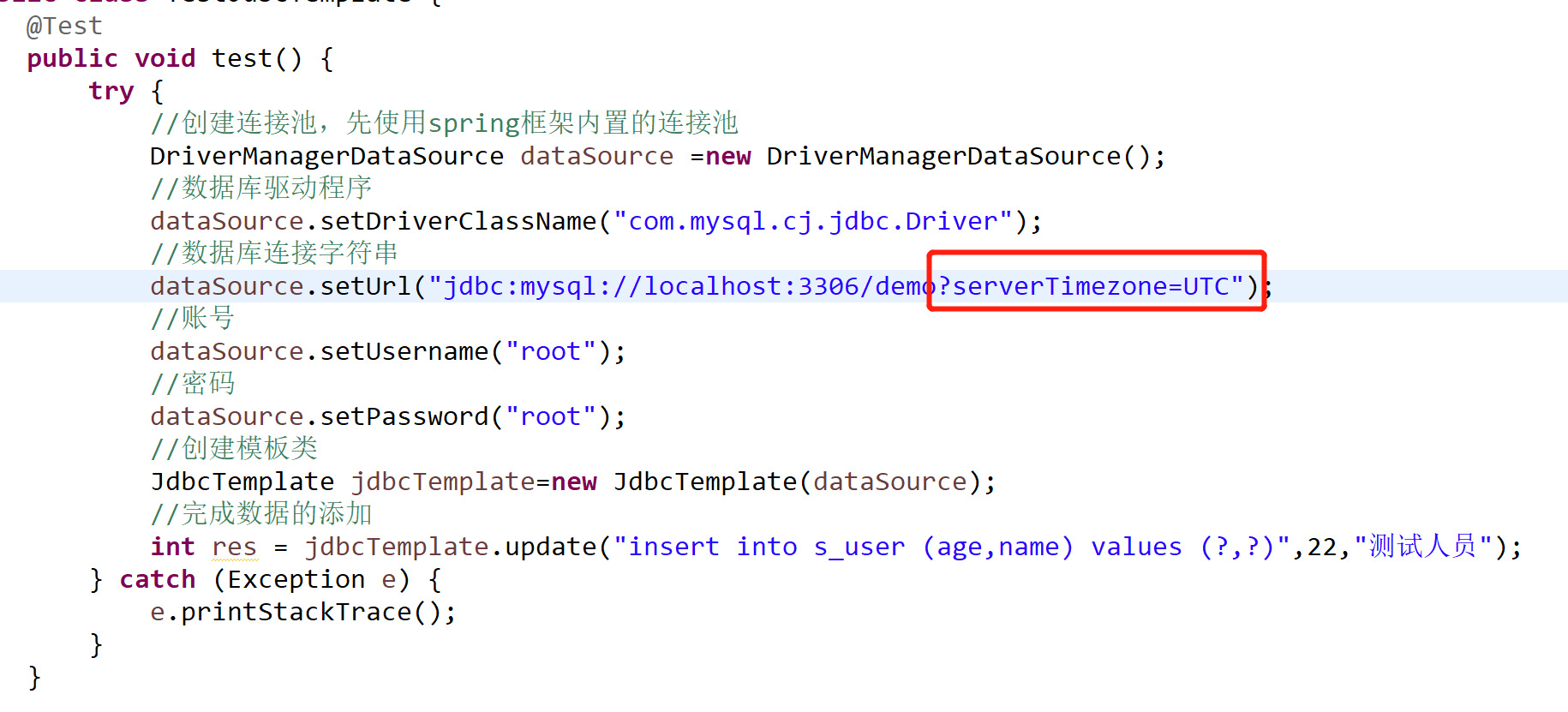
解决办法如下
复制区
jdbc:mysql://localhost:3306/demo?serverTimezone=UTC
虽然上面加上时区程序不出错了,但是我们在用java代码插入到数据库时间的时候却出现了问题。
比如在java代码里面插入的时间为:2017-08-21 17:29:56
但是在数据库里面显示的时间却为:2017-08-21 09:29:56 因为时区设置的问题。 UTC代表的是全球标准时间 ,但是我们使用的时间是北京时区也就是东八区,领先UTC八个小时。
UTC + (+0800) = 本地(北京)时间
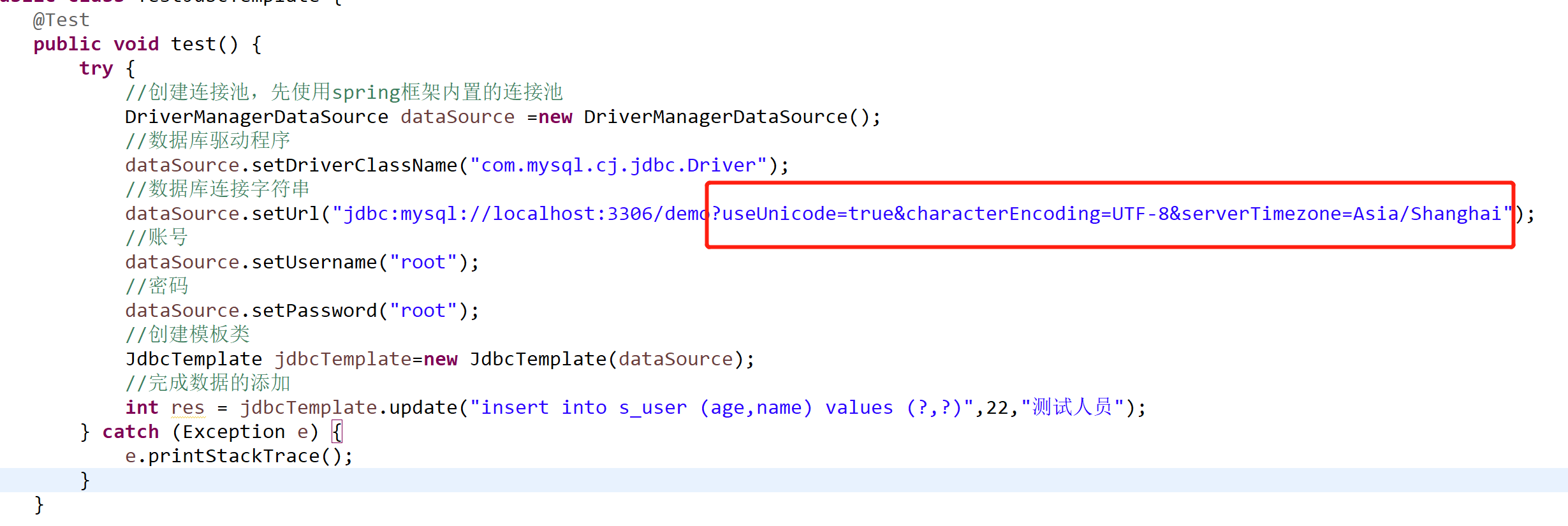
完美解决方法
url的时区使用中国标准时间。也是就 serverTimezone=Asia/Shanghai
复制区
jdbc:mysql://localhost:3306/demo?useUnicode=true&characterEncoding=UTF-8&serverTimezone=Asia/Shanghai