一、创建一个Web服务
1.新建一个项目WebserverDemo
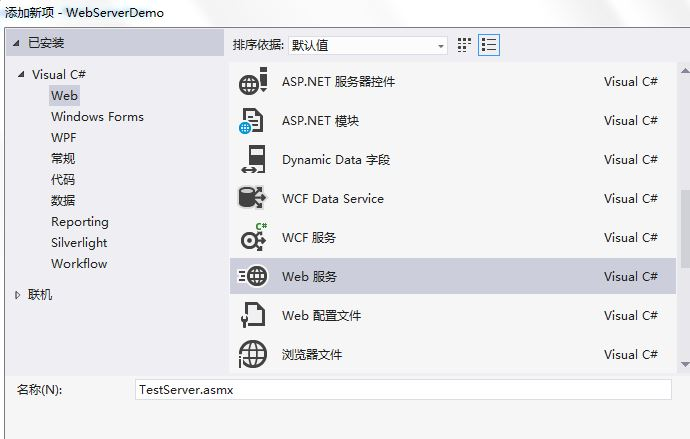
2.在项目处添加新建项,添加一个web服务
3.编辑TestServer.asmx文件
3.1 TestServer.asmx默认的代码是这样
 1 /// <summary>
 2     /// TestServer 的摘要说明
 3     /// </summary>
 4     [WebService(Namespace = "http://tempuri.org/")]
 5     [WebServiceBinding(ConformsTo = WsiProfiles.BasicProfile1_1)]
 6     [System.ComponentModel.ToolboxItem(false)]
 7     // 若要允许使用 ASP.NET AJAX 从脚本中调用此 Web 服务,请取消注释以下行。
 8     // [System.Web.Script.Services.ScriptService]
 9     public class TestServer : System.Web.Services.WebService
10     {
11
12         [WebMethod]
13         public string HelloWorld()
14         {
15             return "Hello World";
16         }
17
18     }
3.2 现在加多一个方法
1        [WebMethod]
2         public string GetAge(string id)
3         {
4             return "ID为:" + id + "的年龄为:"+new Random().Next(10,41);
5         }
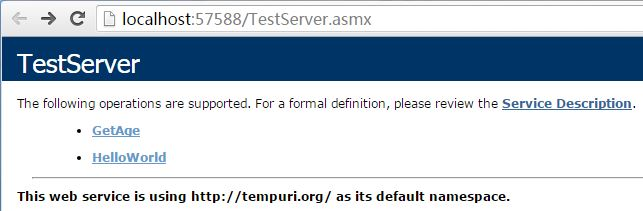
4.运行TestServer.asmx页面,看到下图这样一个Webserver就创建成功了
二、.net调用Webwebservice
1.新建一个WebServerData.aspx页面,在.cs中写
1  protected void Page_Load(object sender, EventArgs e)
2         {
3             ServiceReference1.TestServerSoapClient testServer = new ServiceReference1.TestServerSoapClient();
4             string str1= testServer.HelloWorld();
5             string str2 = testServer.GetAge("b101");
6             Response.Write(str1 + "," + str2);
7         }
有结果输出刚调用成功了。
三、前端JS调用Webwebservice
1.添加一个WebServerData.html页面
 1 <!DOCTYPE html>
 2 <html xmlns="http://www.w3.org/1999/xhtml">
 3 <head>
 4 <meta http-equiv="Content-Type" content="text/html; charset=utf-8"/>
 5     <title></title>
 6     <script src=" http://libs.baidu.com/jquery/1.11.1/jquery.min.js "></script>
 7         <script type="text/javascript">
 8             $(function () {
 9                 $("#getdata").click(function () {
10                     $.ajax({
11                         type: 'POST',
12                         url: 'TestServer.asmx/GetAge',
13                         data: '{ id:"bb101"}',
14                         dataType: 'json',
15                         contentType: "application/json",
16                         success: function (data) {
17                             $("#data").append(data.d);
18                         }
19                     });
20                 });
21             });
22         </script>
23 </head>
24 <body>
25     <a id="getdata" href="javascript:void(0);">获取webservice数据</a>
26     <div id="data"></div>
27 </body>
28 </html>
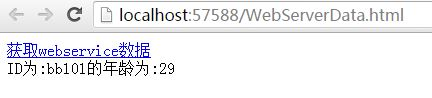
点击a显示下图则成功。